Redesigning Mist AI Mobile Application
Helping installers to install and manage Mist devices using Mist AI application.
Role
UX designer
Team
2 Product Managers, 2 UI developers.
Deliverables
Research, creating wireframes, visuals, Prototypes
What does Mist Systems do?
Mist Systems (a Juniper company) is an AI-driven enterprise company that provides Wi-Fi and Bluetooth experiences to the millions of people using smartphones, tablets, and laptops. It has a robust product portfolio that spans from the wireless, wired, WAN, and security domains
About Mist AI mobile application?
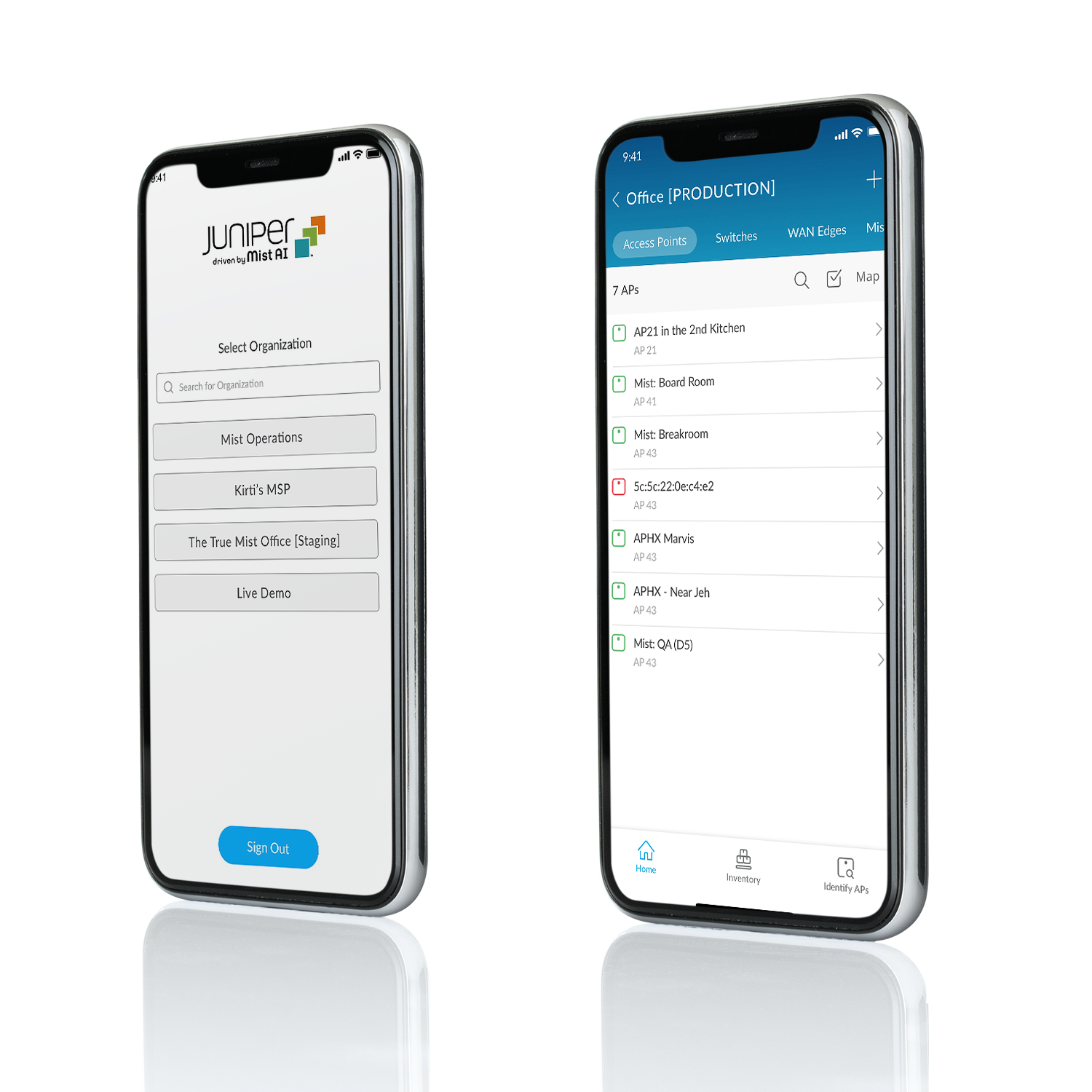
What is a Mist app? - A mobile application used to install wireless, wired and WAN devices on the customers site.
Who are the users? - Installers are the primary users using this app. Installers are 3rd party vendor hired by customers for larger deployments. Network admins are the secondary users working for customers.
Why it’s needed? - It is needed to get installation done faster and to manage the device on the go. Installers usually are always on the go, hopping from one site to another, with limited access to the internet and scanners.
Problem
Mist AI mobile application has been around for a long time. However, users were not able to use it to it’s full potential because of clunky and poor design. Also, with growing business and after Mist’s acquisition by Juniper the mobile application needed redesigning to fill the gaps. The old app was unable to cater all the needs of the users.
Solution
So we redesigned the app, to focus more on Installers need. Fixed all the usability issues, rebranded the whole app and added new features.
Outcome
After all the fixes and enhancements, the number of installations as well as application update for IOS increased by 10x.
This is an on going project. For the first phase we focused on fixing important usability issues and enhancing the overall look and feel of the mobile application.
Challenges
The primary object was to enhance the existing app’s functionality, giving it a new look and feel. The old app was designed and developed long time back by the UI team in India and there was no documentation of the requirements. It kind of felt a bit mess, but it was an opportunity for me to design an app which our customers love using and aligns with our branding.
Approach
Ideally I would do user research to understand the users need and goals but due to the constraints of accessibility to the users, I talked to a couple of SEs and a PM who helped me to understand the installer role. From my userstanding of the product and after using the app I had these key questions/assumptions which I was trying to understand and verify.
Old Design
The essential steps taken before redesigning the existing app were:
To understand why the existing design was ineffective and what are the objectives of the new design.
Identify the problems and pain points.
Define goals for the new design.
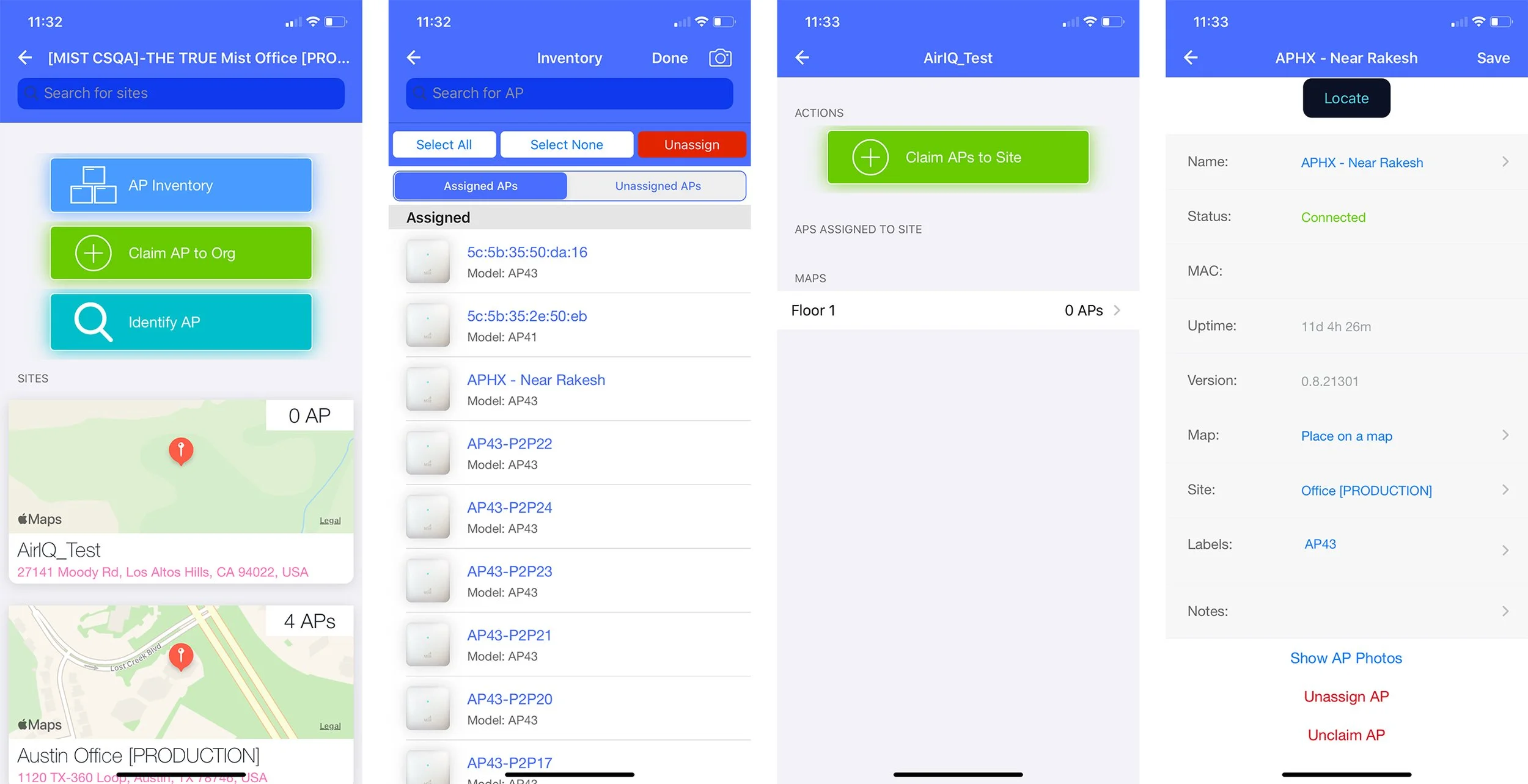
Old Mist AI Application designed in 2017Hypothesis
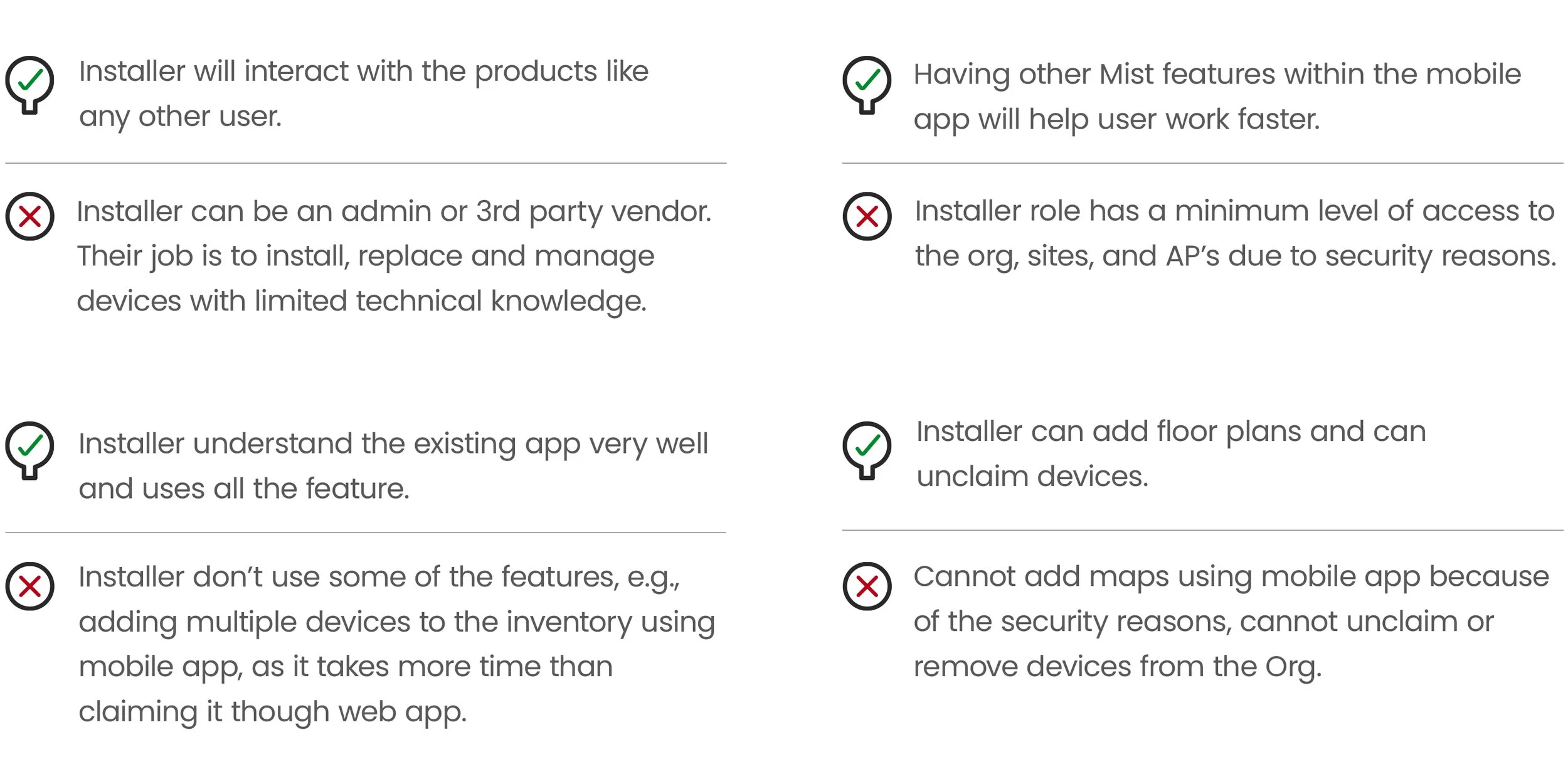
Takeaways
Frustrating navigational experience. User were not able to access other tabs easily.
Redundancy and lack of information.
Difficult to use device list.
Cluttered interface.
User Flow
After identifying the problem and defining the goals, I worked on redesigning the IA and user flow. For the redesign, I divided the whole flow into 3 main sections for simplicity. This also met users objectives
Set up devices
Manage devices
Identify APs
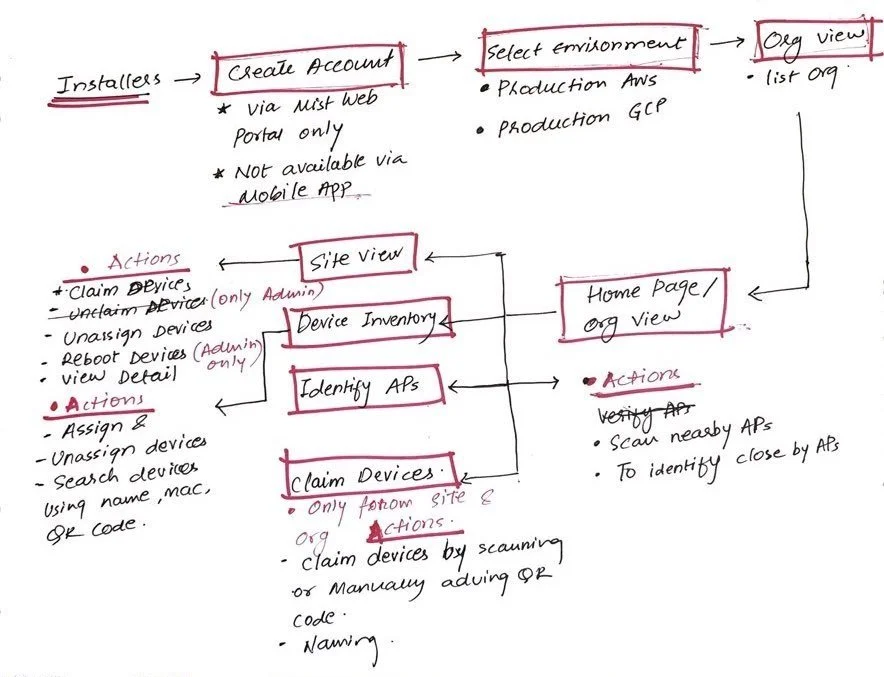
Initial user flow sketch
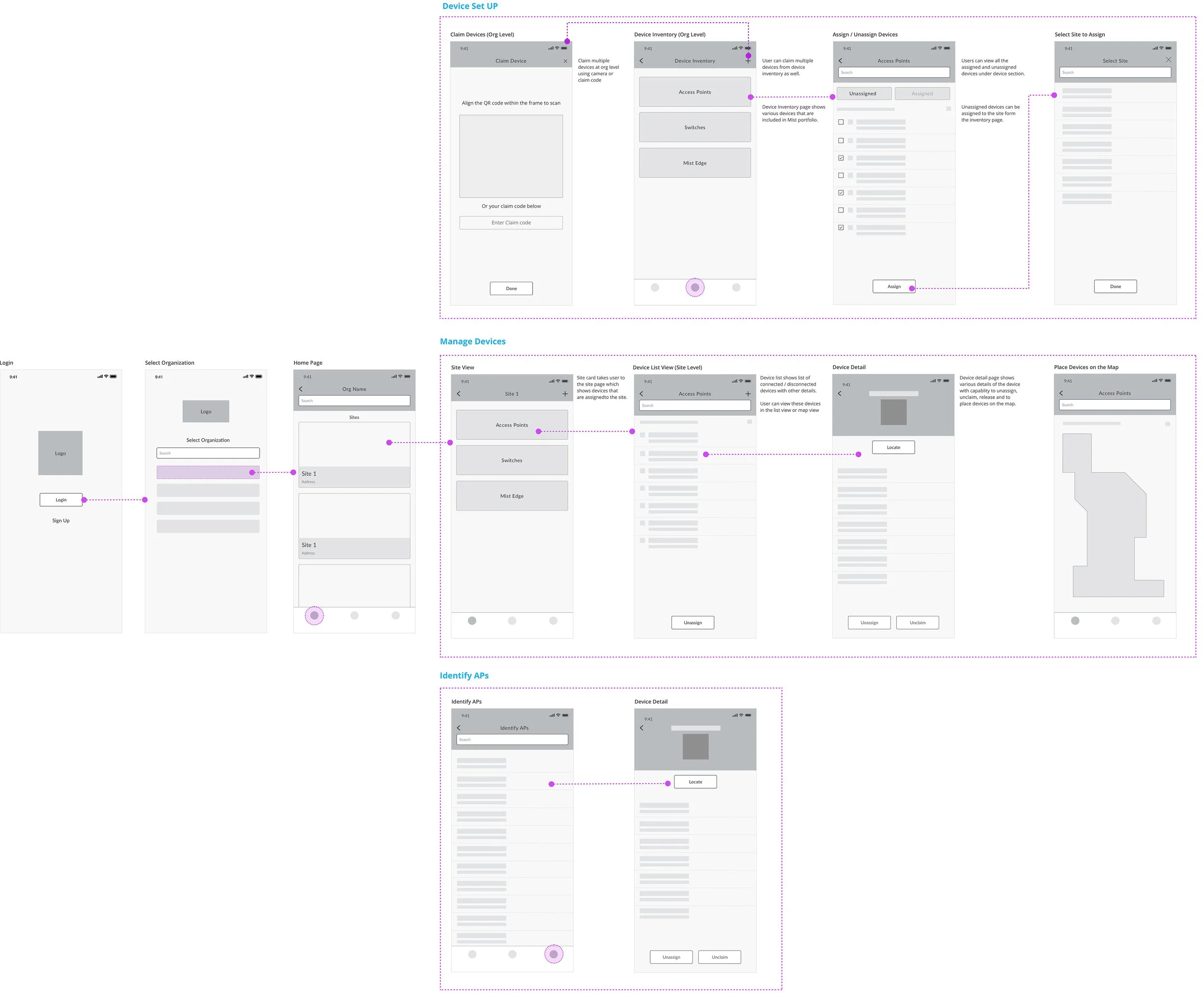
Low fidelity sketch
Redesign and fixing usability issues
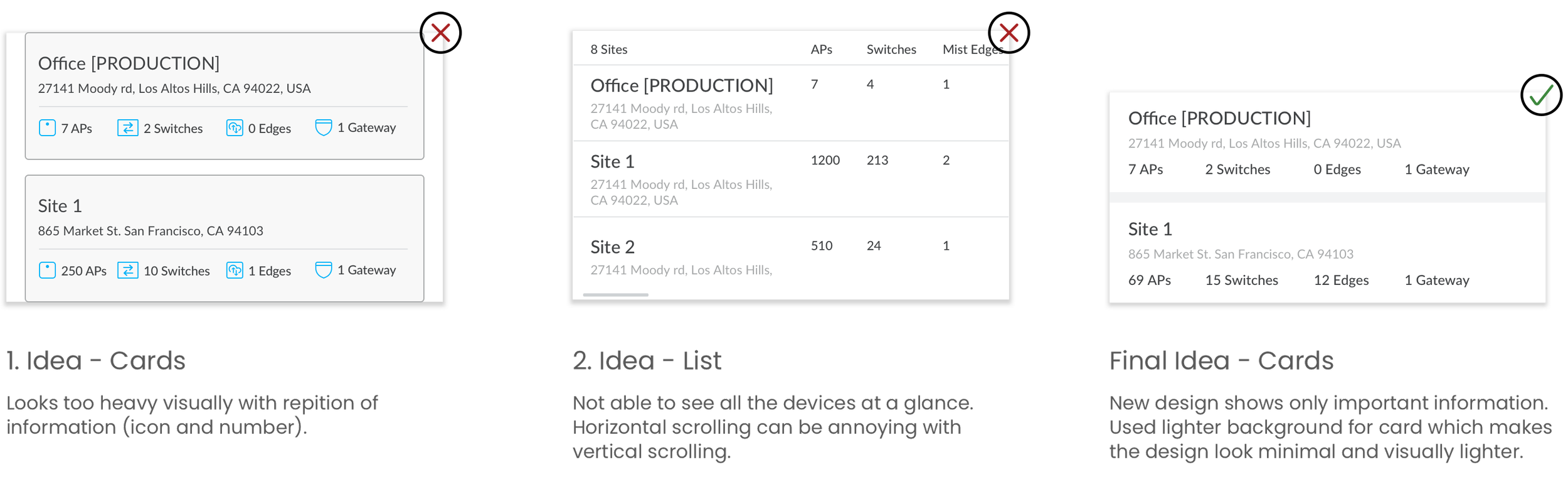
Many of my usability solutions were relatively straightforward. Here’s an example of applying fixes to a specific page, the landing page. Having a landing page with explicit navigation would help user to navigate through different flows. The detail card would help user to know everything about the site at a glance.
Org View - After
Org View - Before
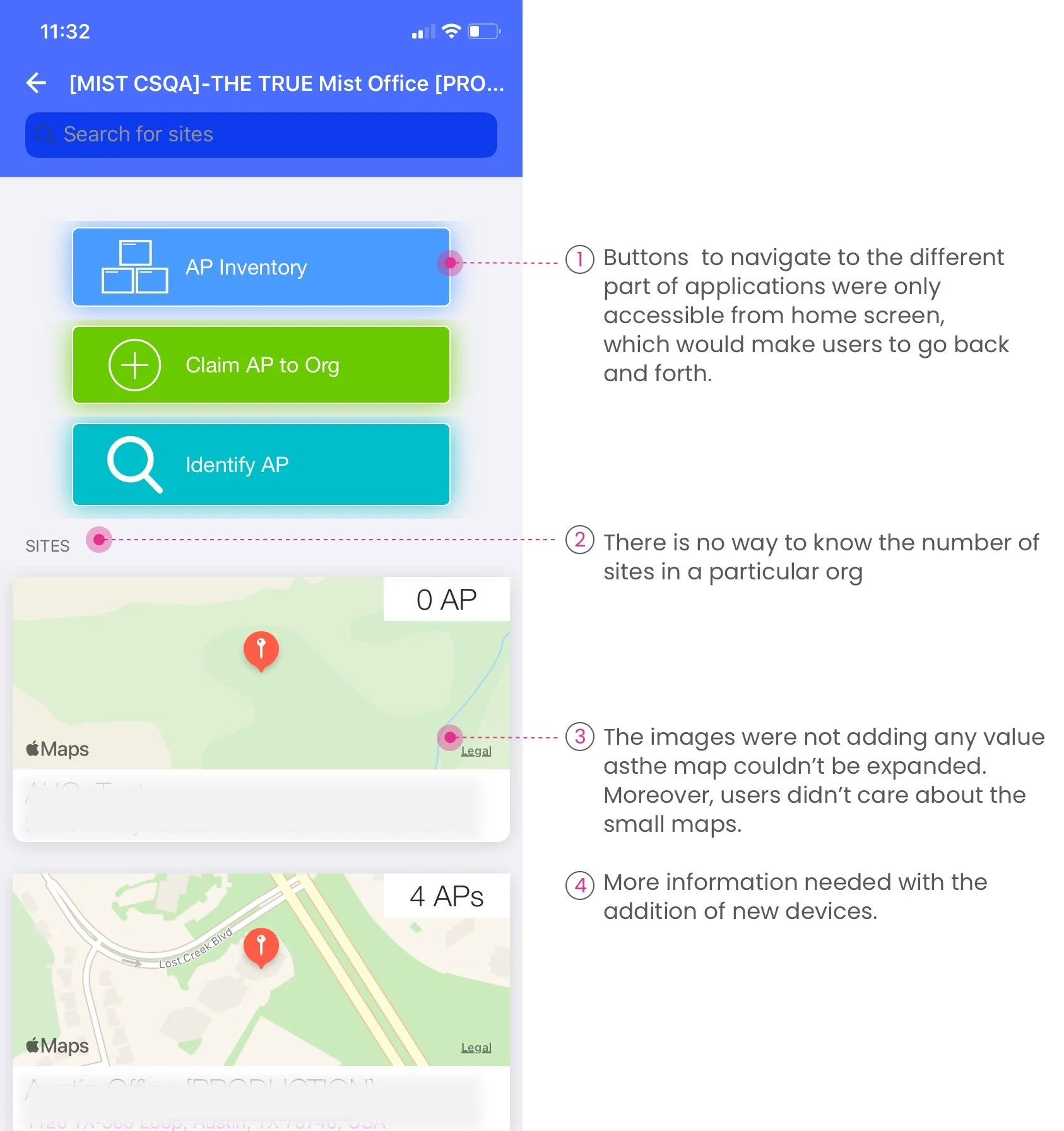
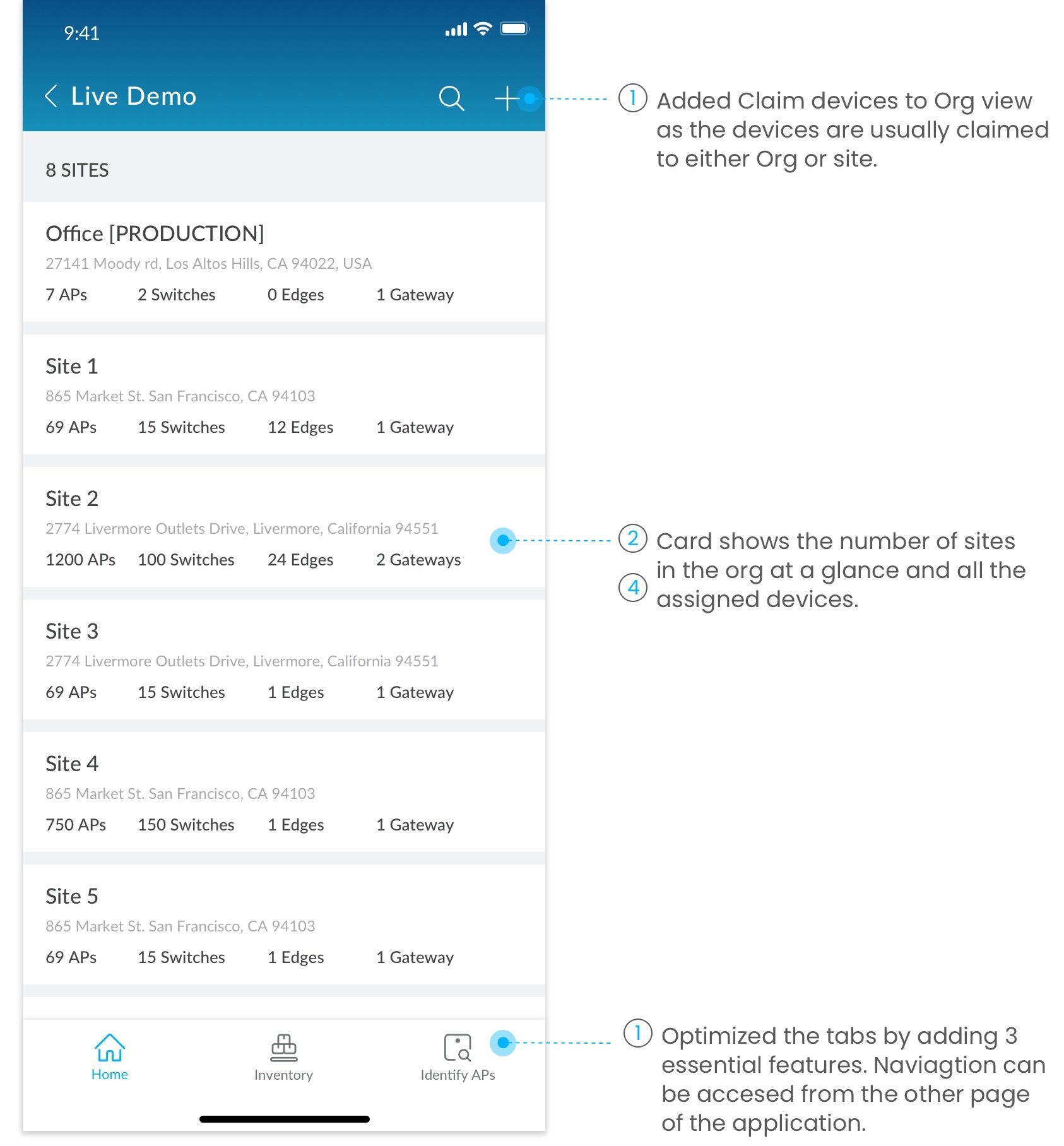
Design Decision
Device Inventory showing all Mist devices
Inventory - After
Inventory - Before
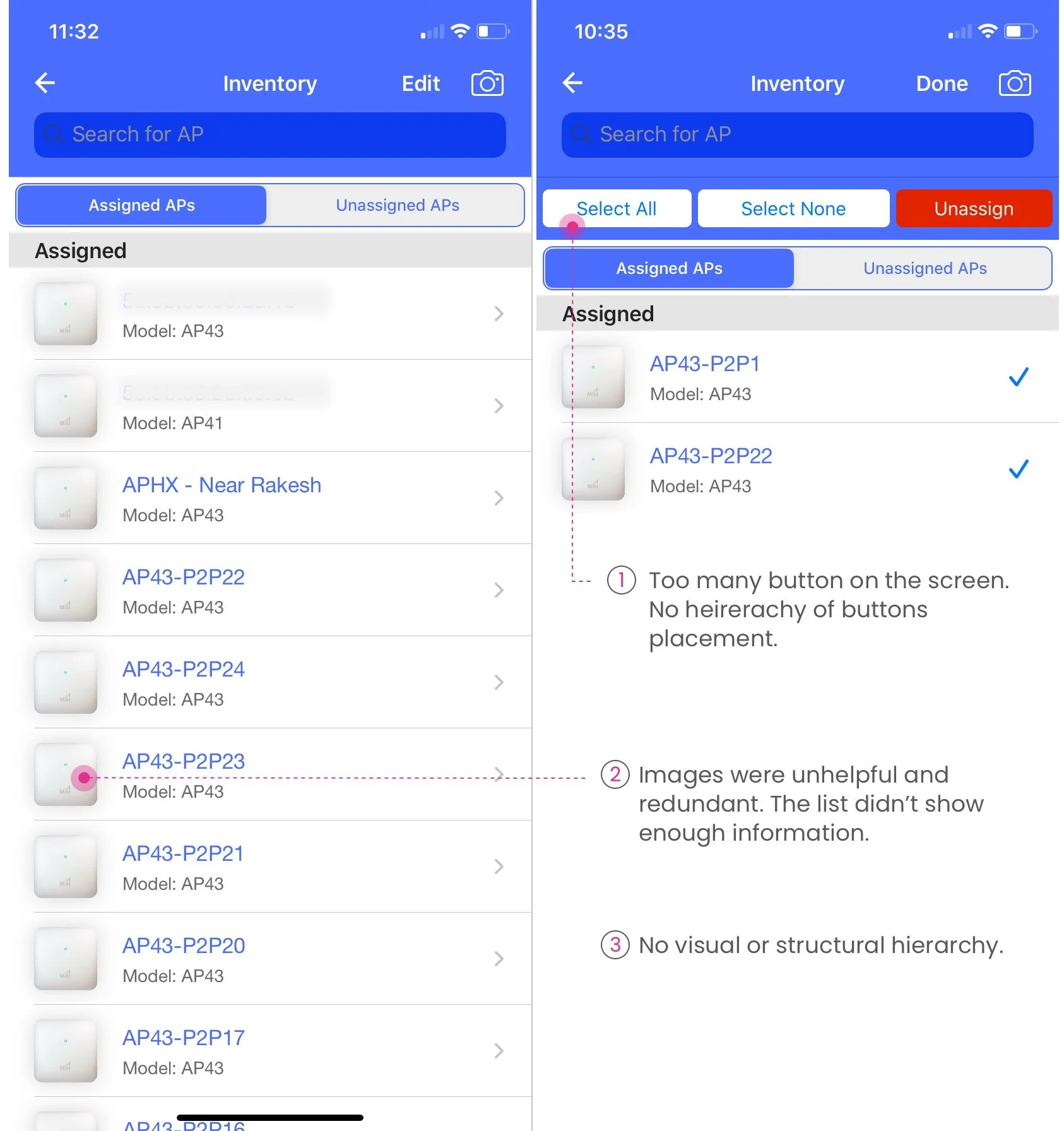
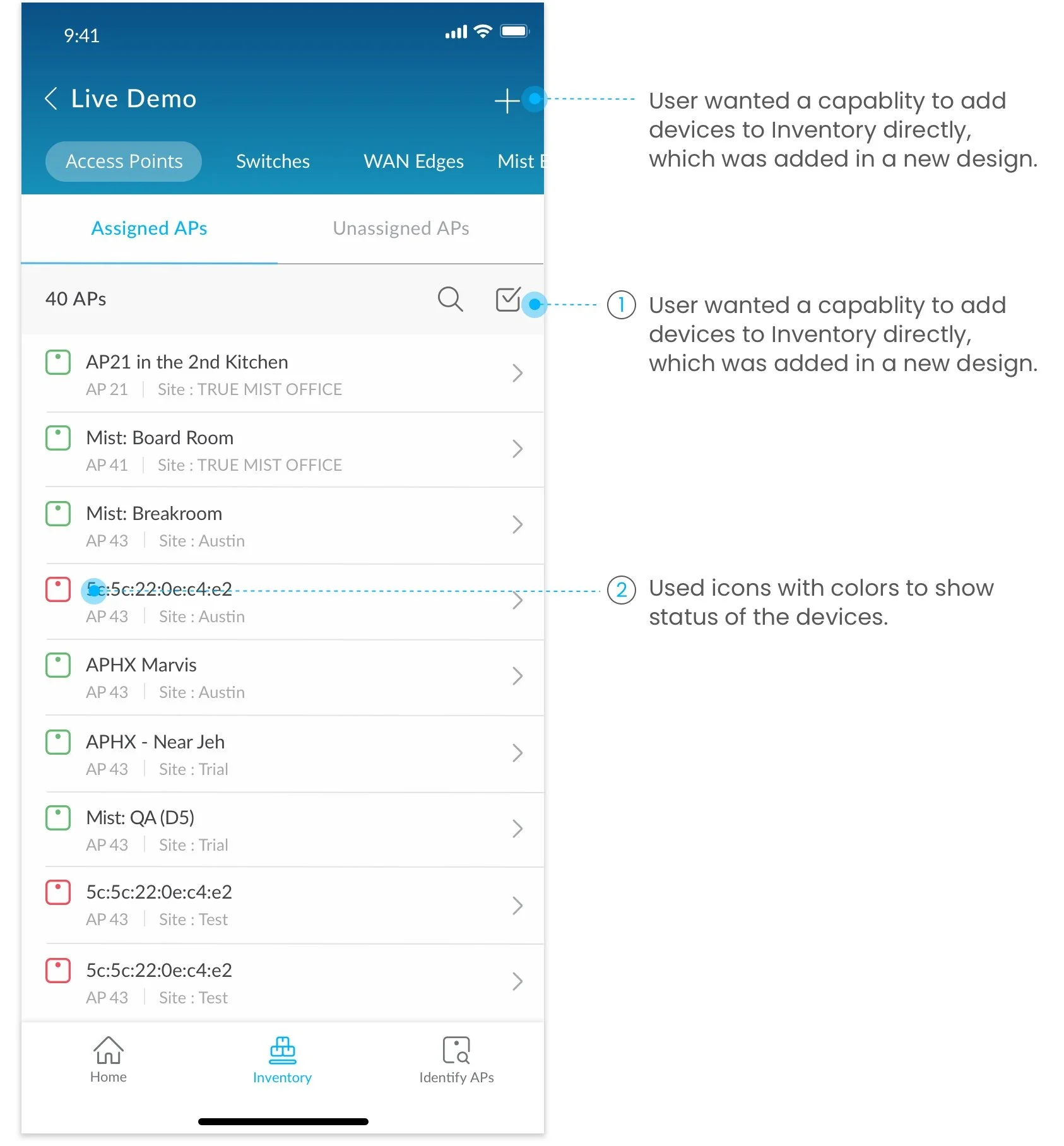
View device details and unassign devices
View devices at site level at a glance. Simplified flow and navigation. Switch between devices to view the list or map or to unassign devices.
Scan and claim multiple devices
With the new design, I focused on making the scanning process faster by providing options to add multiple devices by scanning QR code or manually. Name creation for the devices was also added to the feature.